![pcnametag-logo-250px.png]](https://support.pcnametag.com/hs-fs/hubfs/pcnametag-logo-250px.png?height=40&name=pcnametag-logo-250px.png)
If you do not already have a pc/nametag account, creating one can have many benefits. You can checkout faster, easily access order information, and apply for sales tax exemption if you qualify.
Here's how to create a new account:
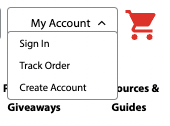
1. Click "My Account" in the top right corner of the pc/nametag website next to the red shopping cart, then click "Create Account".
2. On the next page, fill in the form with your contact information.
If you frequently purchase on behalf of your company or organization, you may want to fill out that company's address, as it will be saved to your account for shipping and billing.
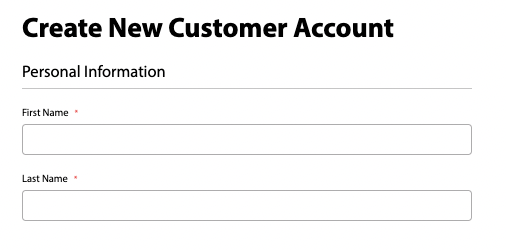
3. At the end of the form, you will add your email address and a password of your choice. These will be your credentials for logging in in the future.
4. Once you have filled in all required fields, click "Create Account" to create your pc/nametag account and start reaping the benefits!