![pcnametag-logo-250px.png]](https://support.pcnametag.com/hs-fs/hubfs/pcnametag-logo-250px.png?height=40&name=pcnametag-logo-250px.png)
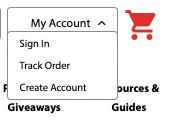
To log in to your pc/nametag account, click "My Account" in the top right corner of the pc/nametag website, next to the red shopping cart icon. Then, click "Sign In."
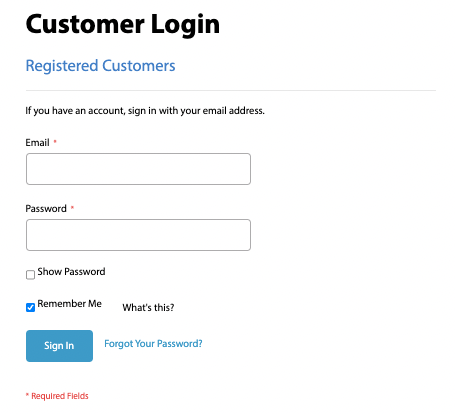
On this page, enter your email address and password to log in to your pc/nametag account.
Once you are logged in, you will be able to view information about your orders, including order numbers, invoices, and shipping information.
Having Troubles Logging In?
If you forgot your password or are otherwise struggling to log in, you can find instructions on how to reset your password here.
If you input the wrong credentials too many times while logging in, your account will be temporarily locked. If you see this message, the best path forward is to reset your password, then log in with your new password.