![pcnametag-logo-250px.png]](https://support.pcnametag.com/hs-fs/hubfs/pcnametag-logo-250px.png?height=40&name=pcnametag-logo-250px.png)
If you are a customer that typically orders thru our contact center please email pcntax@pcnametag.com to obtain a link to provide your sales tax certificate
If you primarily order online, follow the below instructions.
1. Go to www.pcnametag.com
2. Sign in to My Account. Don’t have an account? Create one! Creating an account has many benefits: Apply for sales tax exemption, keep more than one address on file, track orders, and more.
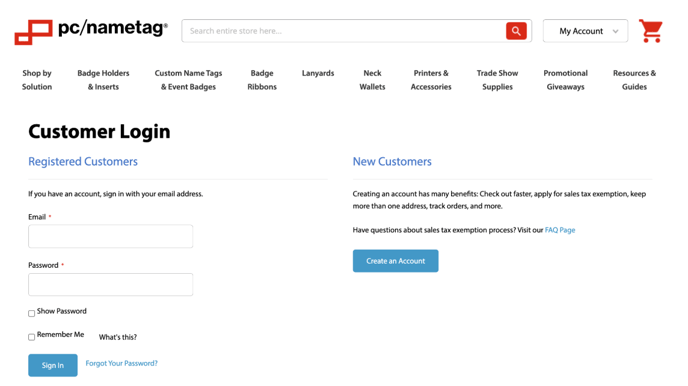
3. Once you have signed in to My Account, navigate to Tax Certificates.
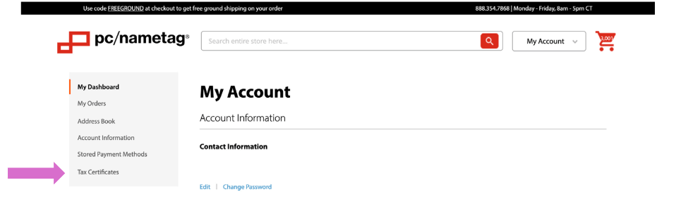
4. In the Tax Certificates section of My Account, navigate to “Add Exemption” .

5. Follow prompts on the Sales Tax Exemption Certification page to complete your application.
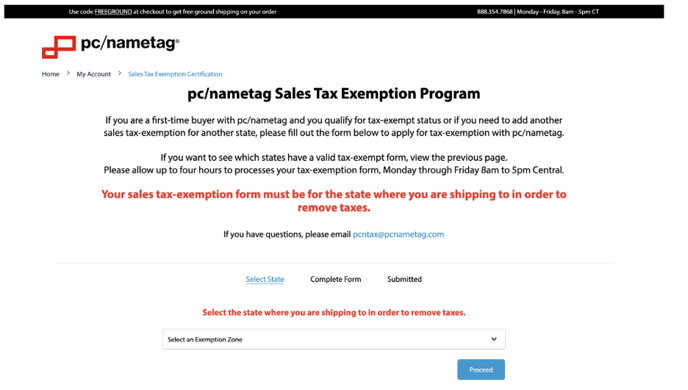
6. Submit your sales tax exemption application. You can view the status of your sales tax exemption application any time by visiting the Tax Certificates section of My Account as shown below.
